
5 Ways QA/QC Improves When Integrated with Bluebeam
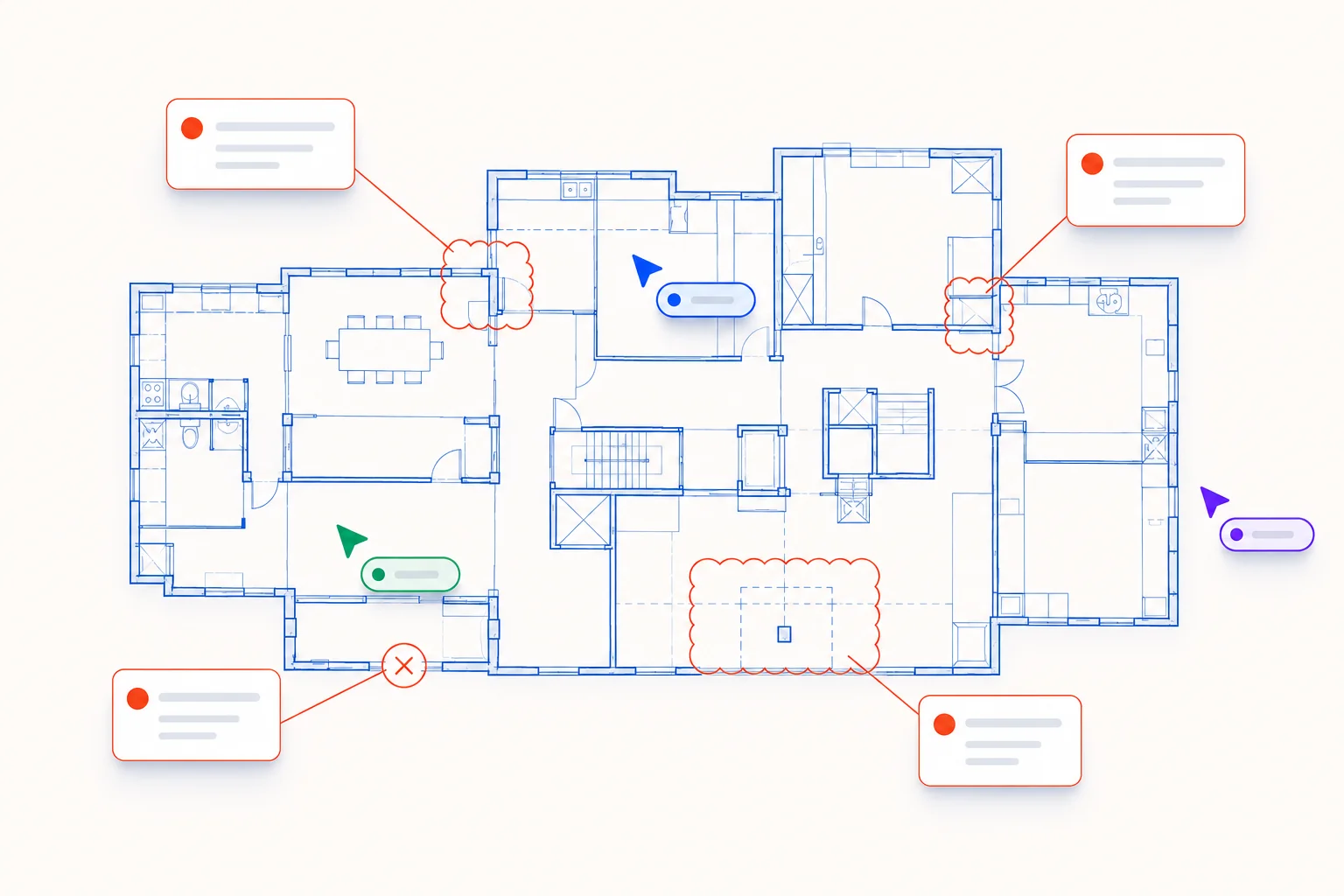
Bluebeam is already central to how most AEC teams review drawings. It is where markups happen, where coordination is discussed, and where review comments are consolidated before submission. Because of that, the effectiveness of quality control is not only about what gets identified, but how easily those findings can be brought back into the environment teams are already working in.
Integrating QA/QC analysis into Bluebeam Studio changes how that process functions in practice by reducing friction between review and coordination. When quality control outputs are structured to fit directly into your existing Bluebeam workflow, the entire process becomes less about transferring information and more about acting on it.
1. Pull Drawings Directly from Bluebeam Studio Sessions
Drawings can be pulled directly from an active Bluebeam Studio Session into analysis for additional QA/QC. This allows teams to take the exact set they are already coordinating on and run a deeper quality control pass without breaking workflow or creating version control issues.
There is no need to recreate the set or work from a separate PDF version, which helps keep review efforts aligned with real-time project discussions and live collaboration happening in Studio. Every team member remains synchronized on the same drawing set, and the QC process runs against the exact files being used for active coordination.
This integration means your QA/QC tool chest can pull directly from where coordination is already happening, eliminating the manual step of exporting, organizing, and uploading separate documents. Real-time collaboration continues uninterrupted while quality control analysis runs in parallel.
2. Import Full Drawing Sets or Individual Sheets
Projects can be reviewed at any scale depending on where risk or uncertainty exists. Entire drawing sets or individual PDF sheets can be uploaded into the quality control process, and the tool reads sheet titles, indexes, and relationships directly from the documents themselves.
This allows the analysis to reflect how your set is actually structured, rather than requiring manual organization before review begins. Engineers and architects do not need to spend time preparing documents or reorganizing files. The quality control process understands the document structure automatically and can track relationships across sheets.
Whether you upload a complete construction document set or focus on specific sheets where coordination complexity is highest, the process adapts to your project needs. This flexibility means QC can be deployed start to finish across the entire project or targeted to high-risk areas where collaboration and coordination demand additional scrutiny.
3. Surface Issues Across Code and Coordination
The QA/QC analysis identifies coordination gaps, code conflicts, accessibility conditions, and life safety considerations across the drawing set. These are the same categories typically reviewed during internal quality control, but brought together through a single comprehensive pass rather than isolated reviews.
Instead of checking one condition at a time, teams see how requirements and assumptions interact across the entire set. A structural column placement that affects accessibility, a life safety issue that impacts coordination with MEP, or a code conflict that involves multiple disciplines becomes visible as an integrated problem rather than separate issues.
This holistic approach to quality control means that when markups are generated and returned to your team, they reflect how decisions in one area of the project affect requirements in another. Coordination becomes smoother because the feedback accounts for real project complexity from the start.
4. Annotated Markups Directly on Drawings
Findings can be returned as annotated PDFs with comments placed directly on the sheets themselves. These markups are formatted to read like reviewer redlines, making it clear where issues occur and what needs to be addressed. The markup tools create a familiar visual language that every team member understands immediately.
Because the comments live on the drawings themselves, teams do not need to interpret a separate report or manually translate findings back into markup format. There is no email chain, no separate status column to track, no screenshots to clarify which issue belongs where. Everything is spatial and tied directly to the drawing.
This approach to quality control feedback saves time by eliminating the manual work of converting analysis into actionable markups. Your team gets annotated documents ready to use, which means faster response time and less rework downstream.
5. Push QA/QC Back into Bluebeam Workflows
Annotated drawings can be pushed back into Bluebeam Studio Sessions or Bluebeam Projects, allowing teams to review, respond, and build on the comments within their existing environment. Additional markups can be layered on top, discussions can continue in context, and coordination can move forward without switching platforms or breaking real-time collaboration.
Quality control becomes part of the same Studio session used for team review rather than a separate step that needs to be re-integrated later. Engineers, architects, and contractors can all see QC findings, add their own markup responses, and track status changes without leaving Bluebeam. The entire workflow stays unified.
RFIs, punch list resolution, and approval workflows move faster when everyone is working within the same tool. Version control is automatic, comments are tracked, and every stakeholder sees the same information simultaneously across web or mobile devices.
Integration Without Replacement
When QA/QC outputs are structured in a way that fits directly into Bluebeam, review findings move more quickly into active coordination. Teams spend less time reformatting or redistributing information before it can be used, and quality control becomes embedded into the project workflow rather than bolted on as an afterthought.
Bluebeam remains one of the central environments for markup and real-time collaboration. The goal is to extend what those tools can do during quality control analysis, allowing teams to continue working in the platforms they trust while standardizing and streamlining how QC findings get surfaced, tracked, and resolved across every step of the process.
This is where Archidian fits. It functions as a quality control tool designed to integrate directly into Bluebeam workflows, enabling teams to keep projects moving without breaking the environments where coordination already happens. By embedding QA/QC analysis into the Studio sessions and Bluebeam Projects your team already relies on, Archidian keeps quality control feedback flowing directly into the markups and discussions happening in real time.
The research on documentation quality, coordination gaps, and permit review outcomes referenced across our writing is compiled from government reports, industry associations, and consulting studies. Explore all data sources on our Insights page.
The Archidian team builds AI-powered tools to automate building code and life safety reviews for architects and design professionals.
Continue Reading
What Architects Actually Miss During Final QA/QC Reviews
Why coordination issues persist late in documentation and how review structure shapes what gets caught.
Full Set Review vs Selective Sheet Review: When Each Makes Sense
How review scope shapes coordination clarity, permit feedback, and approval timelines.